2024-2025 Returning Student Registration Instructions
Get started by clicking the link below:
AERIES Parent and Student Portal
- Enter the email address, to where the link was submitted. (You must have access to your email).
- Enter the password that you created and click Sign In.
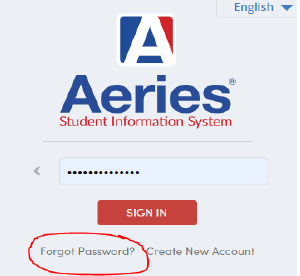
- If you have forgotten your password, click on the Forgot Password link (Check spam or junk mail for an email from, “No_Reply at RCOE.US). You should receive a verification code to confirm your password has been reset.
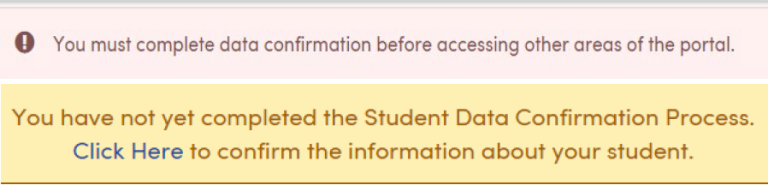
- Once you have access to your account you should see the pink or yellow box listed below. It will be located at the top of your screen. Click on “click here” to begin your registration.
- You must complete all 7 sections of the portal, in order for your registration to be processed. A confirmation email will be sent, once you have completed registration.
If you need assistance with registration, please contact Rachel Dryden at 951-826-4563. If the phone lines are busy, please leave your name and contact information, and your call will be answered in the order it was received.
New Student Registration
Registration for new CBK students begins July 1. New students must complete the online CBK orientation to obtain a link to register. If you have completed the orientation in May or June, the CBK registrar will send you the registration link in July.
Aeries Parent and Student Portal
Please use the link below to access the Aeries Parent and Student portal.
New users can click on Create New Account. You will need your student ID number, primary telephone number, and your name to verify registration for an account.
Existing users can login with your email and the password you chose at the time of creating the account. If you do not remember your password, please click on Forgot Password.
Aeries Parent and Student Portal
*Please make sure to check your spam/junk when creating an account or resetting your password if you do not receive an email after requesting an account or password.